
❤Designing for Collaboration ❤
Procreate

Overview
Procreate is a popular app artists use to create works of art. However, as fellow artists, we felt that this app lacked in creating a sense of community. Artists couldn’t band together to work on a single art piece and instead had to resort to sending png files alongside third-party apps to get the job done.
Our designs aimed to help give users the ability to communicate and give feedback with their teammates as they work seamlessly on a Procreate canvas. Inspired by Google Docs, these designs allowed for users to give markups or comments to participants of their choice

As a UX designer on the team, I helped with interviewing users and creating user scenarios for our team to test out. In addition, I aided my team members in taking our lo-fi designs and bringing them to life with hi-fi prototypes. From March 2022 to June 2022, this 11 week project and its designs were ideated and executed by my team and I.
❤ ❤ ❤
The Problem
Although we do agree that Procreate boasts an active community online, the same cannot be said for the app itself. It is strictly locked to the iOS meaning that users who don’t have an Apple product cannot have access to Procreate. We asked different Procreate how they collaborated with non-Apple artists and they had to resort to using third-party apps to engage in proper collaboration with other artistic creators.

Goals
❤ ❤ ❤
Procreate users want to be able to collaborate on Procreate with other non-Apple users. In doing so, they want a seamless way to receive feedback on the Procreate canvas itself so that different users working on the same project don’t have to use third-party platforms.

❤ ❤ ❤
Chipping Away With Research
We wanted to get general feedback regarding Procreate, so we got to work surveying 18 individuals and personally interviewing 8 individuals.
.png)
User Interviews:
-
Who did we interview?
-
8 individuals ages 18-22 who were full-time students
-
They actively used Procreate both professionally and recreationally.
-
A majority were interested in using Procreate to collaborate.
-
Only 2 individuals had experience using Procreate for collaboration.
-
1 out of 2 individuals had a negative experience collaborating on Procreate
-
-
-
We asked questions about:
-
What they use Procreate for
-
Why they prefer other collaboration programs
-
How often they collaborated
-
How they collaborated on Procreate
-
❤ ❤ ❤
❤
❤ ❤ ❤
❤
❤

❤ ❤ ❤
Key Insights:
-
Users like platforms that are straight to the point in what features they can provide.
-
Procreate users wished for a way to collaborate with other users.
-
Programs that are restricted to only Apple products deters users from using a particular platform.
❤ ❤ ❤
Information Architecture
Playing with Concepts

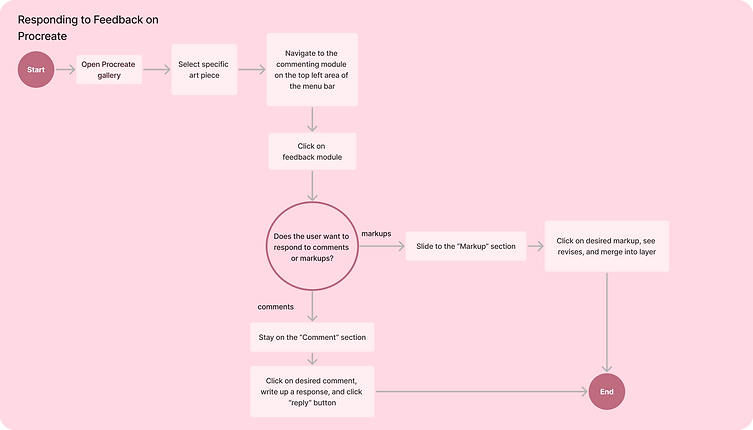
Procreate User Flow
❤ ❤ ❤
Three different features → One big solution
Procreate lacks the features necessary for collaboration with other users and that meant we had many different angles we could approach the problem. We had three main ideas that we experimented with were a cloud-sharing system, simultaneous editing, and a markup and commenting system. However due to time constraints, we narrowed our final design into an upgraded markup and commenting system that encompassed a few design inspirations from our other two ideas.
_____________________________________________________________
❤ ❤ ❤
________________________________________________________________
1) Potential Cloud Sharing System → Lifting iOS restrictions
There are multiple art applications that implement the use of the cloud to share different art pieces such as Clip Studio Paint and Art Station. So, why couldn’t the same be applied to Procreate?
We were optimistic about this feature of allowing individuals to share their art pieces via email or link just like a typical Google Drive. However, users were confused as to whether one would need a Procreate account to access the cloud account and its folders or if it was through a third-party extension. Since Procreate was a standalone application, users would much rather use other pre-existing applications with such a feature like Clip Studio Paint or Adobe Photoshop as these already came as an incentive for buying the application.
.png)
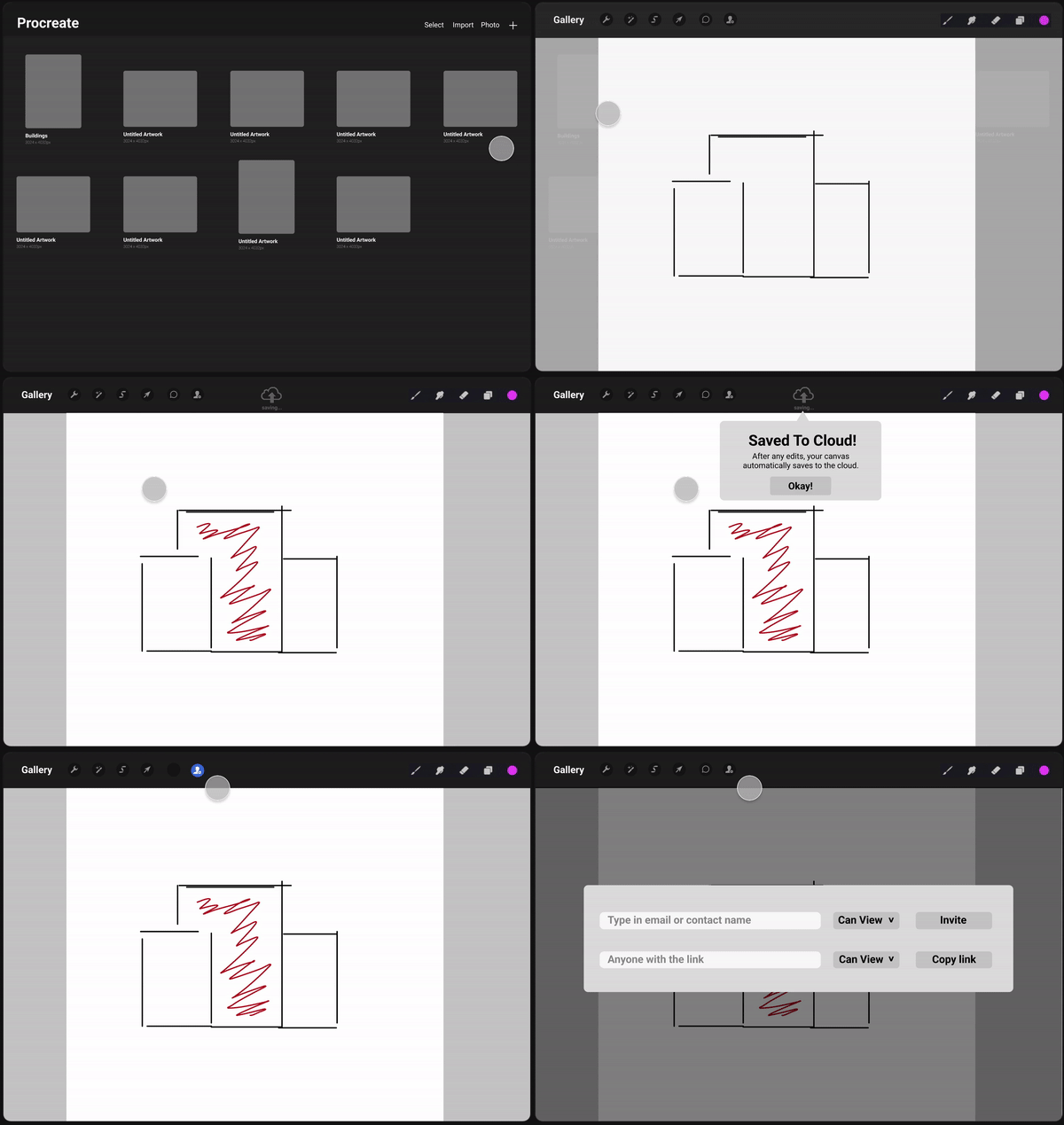
We looked over user feedback and decided to halt this idea as it was essentially an idea that many other desktop applications had perfectly polished.However, we made a mental note on how collaboration could possibly work for our markup and commenting idea. This would use the idea wherein multiple individuals could have access to one particular art piece via email or link sharing.
_____________________________________________________________
❤ ❤ ❤
________________________________________________________________
2) Potential Simultaneous Editing → Enables Live Collaboration
We were inspired by the many design elements and features of Google Docs. We thought that if this idea of having simultaneous editing worked on Google Docs then we could possibly experiment with this idea in Procreate. Our user interviews gave us some interesting results namely that users found the idea interesting and useful as they could see changes to the piece live.
However, users questioned how working on the canvas simultaneously would work. It worked with Google Docs because users could take control of text in a specified area which meant users could be assigned different sections to work on for a document. It becomes messy when applied to Procreate as it brought up the question of who could work on which layer and when.

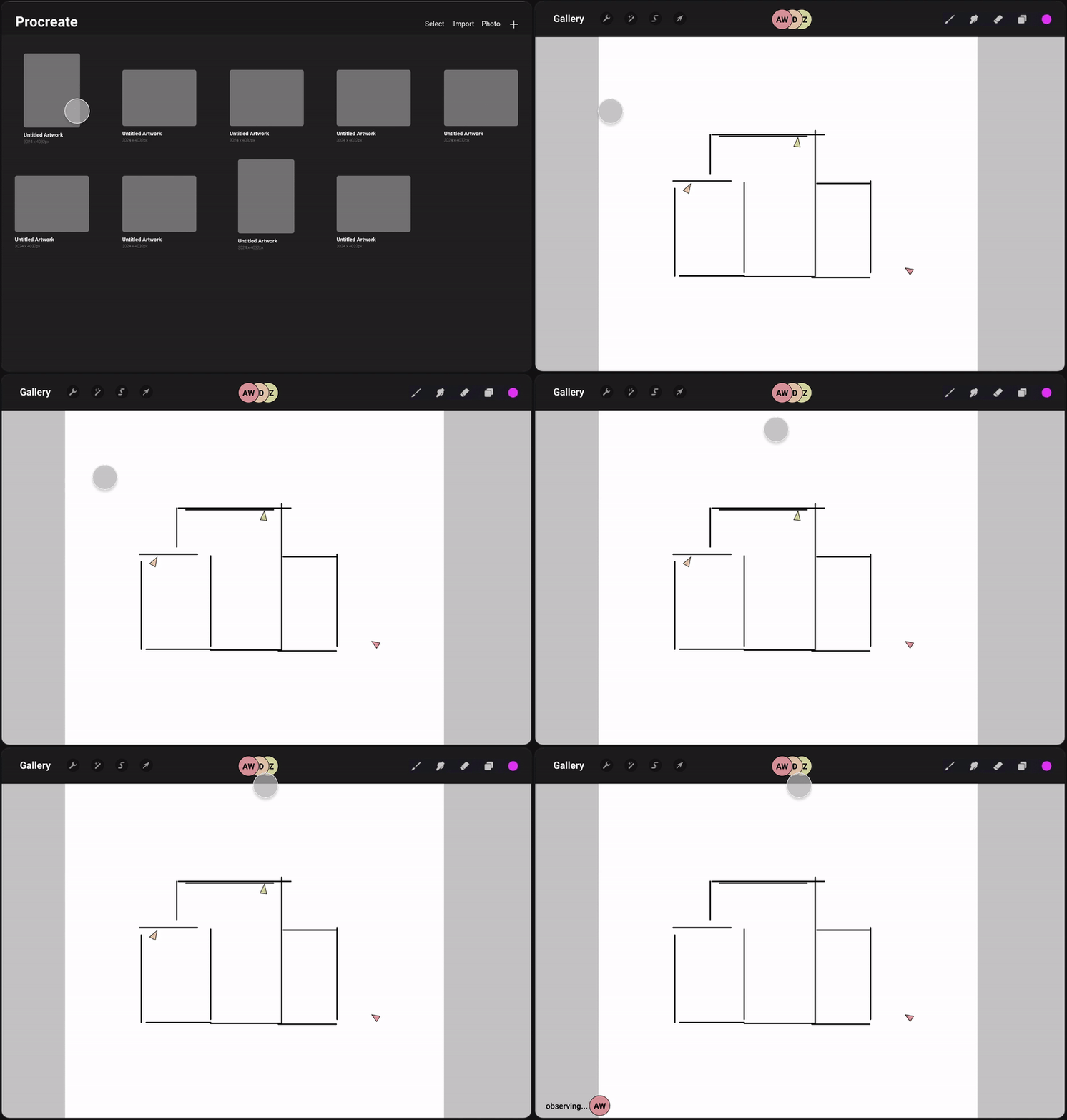
Although this idea was interesting, there were too many logistics involved and applying this idea to an iPad restricted platform could overwork the system. This may be the reason why such live collaboration tools are usually seen on desktop applications. However, we did not give up on the idea of multiple users collaborating on one piece and pressed on to a different idea that fared better than the rest.
_____________________________________________________________
❤ ❤ ❤
_____________________________________________________________
3) Prompt Markup and Commenting → Improved Collaboration
Due to time constraints, we decided to narrow down and play around with the idea of having a markup feature for Procreate. In this idea, users would be able to share their art pieces via email and link sharing. Other users would be able to access the art piece, but instead of engaging in simultaneous editing they can leave markups and comments targeted towards specific individuals.
Upon opening the canvas, users are able to easily view any comments or markups that have been left by their teammates. Just like Google Docs, users could give their own response, mark it as unread, or resolve the feedback and these markups were allowed to be merged with the layer to reduce extra manual work. However, users did not appreciate the amount of visual clutter this created, so a simple solution was to have a comment button that could reveal and hide these symbols.

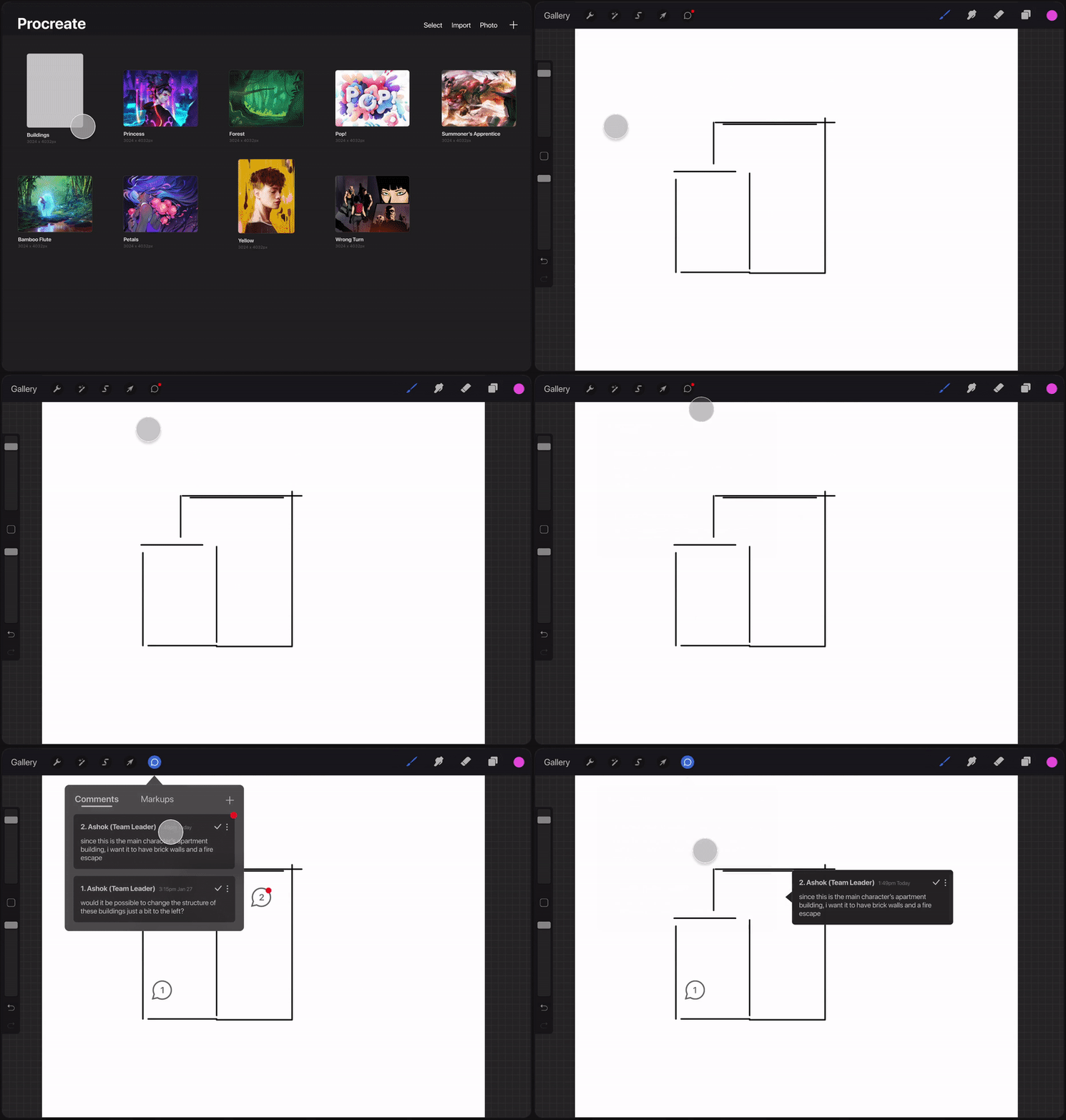
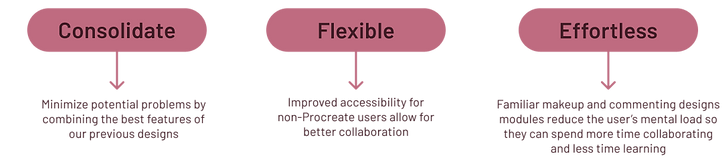
Now it was possible for different users to collaborate on an art piece in Procreate. This design was one we fleshed out because it encompassed the best features from our previous two ideas while minimizing any potential issues. Users would still be able to share and collaborate while not overworking the system as seen with simultaneous editing and cloud sharing.
❤ ❤ ❤
Final Results
Although our design didn’t ship out, this project helped to highlight possible solutions to creating a collaborative workspace for non-Procreate and Procreate users. Our mentor and group assessed that there would be an increase of about 10 to 15 percent in productivity for Procreate users as they would have an easier time partnering with other artists. This collaborative feature would attract more users towards Procreate and help to possibly boost sales of Procreate which we noted during our mentor critique session.
Overall, this project was eye opening to help find the balance between the amount of time we had for the project versus what could realistically be done within that time frame to tackle our design problem.
❤ ❤ ❤